
Tips for Creating a Productive Home Office Environment

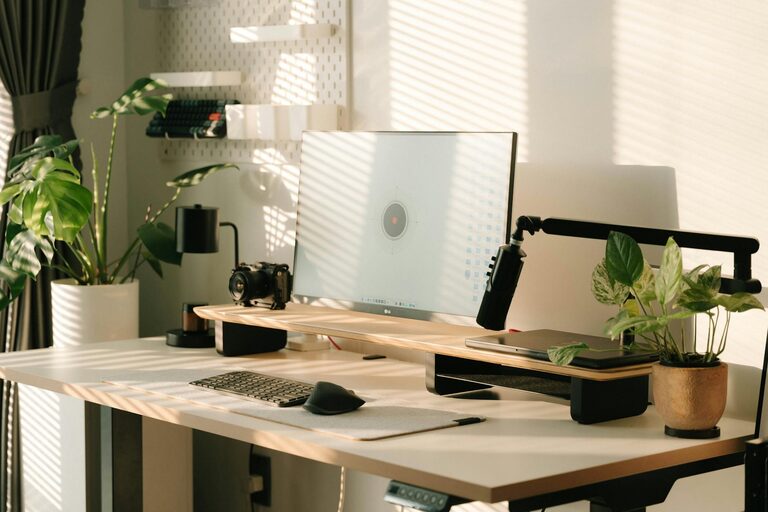
Creating a productive home office environment is essential for anyone working remotely or managing tasks from home. A well-organized and comfortable workspace not only improves focus but also enhances your overall work experience. In this article, we’ll explore simple and effective tips to help you build a home office that supports your productivity and well-being.
Choose the Right Location
Find a Quiet Spot
Start by selecting a space in your home with minimal noise and distractions. This could be a spare room, a corner of your living room, or even a nook near a window. The quieter and more private your workspace is, the better you can concentrate on your tasks.
Consider Natural Light
Natural light improves mood and reduces eye strain. If possible, set up your desk near a window to enjoy daylight. If natural light is limited, invest in good-quality artificial lighting that mimics daylight.
Invest in Ergonomic Furniture
Comfortable Chair
An ergonomic chair that supports your lower back is critical. Look for adjustable height, lumbar support, and cushioned seating to prevent discomfort during long work sessions.
Desk Setup
Your desk should be spacious enough for your computer, essential tools, and a comfortable arm position. Adjustable desks that allow you to switch between sitting and standing are great for reducing fatigue.
Organize Your Workspace
Declutter Frequently
Keep only essential items on your desk to minimize distractions. Regularly clear away clutter to maintain a neat environment that promotes clear thinking.
Use Storage Solutions
Shelves, filing cabinets, and drawer organizers help keep documents and office supplies out of sight but within reach. Label storage containers to find items quickly.
Minimize Distractions
Manage Noise
Use noise-cancelling headphones or play soft background music to mask household noises. Communicate with family members or roommates about your working hours to reduce interruptions.
Turn Off Notifications
Silence non-essential notifications on your computer and phone during working periods. This can help you maintain focus and limit the temptation to check social media or personal messages.
Create a Routine and Boundaries
Set Work Hours
Establish consistent start and end times for your workday. This structure helps your mind prepare for focus during work and relaxation afterward.
Define Workspace Boundaries
Keep your home office dedicated to work activities only. Avoid eating, watching TV, or other leisure tasks in this space to maintain a strong work mindset.
Personalize Your Space
Add Greenery
Plants can improve air quality and create a calming atmosphere. Choose low-maintenance plants like succulents or pothos that thrive indoors.
Decorate Thoughtfully
Incorporate items that inspire you, such as art prints, photos, or motivational quotes, but avoid overcrowding. A balanced environment keeps you motivated without overwhelming your senses.
Pay Attention to Technology and Connectivity
Reliable Internet
A fast, stable internet connection is crucial for video calls, file sharing, and online collaboration. Consider upgrading your router or using a wired Ethernet connection for better performance.
Use Quality Equipment
Invest in a good headset, webcam, and keyboard to enhance comfort and communication. Regularly maintain your devices to avoid disruptions.
Take Breaks and Move Around
Follow the 20-20-20 Rule
Every 20 minutes, look at something 20 feet away for 20 seconds to reduce eye strain.
Stretch and Walk
Incorporate short breaks for stretching or light movement to boost circulation and reduce stiffness.
—
By thoughtfully setting up your home office with these tips, you create a space that supports focus, comfort, and productivity. Remember, the goal is to build an environment that works for your unique needs and helps you stay motivated throughout your workday.