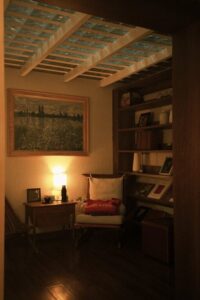
Tips for Creating a Cozy and Inviting Home Workspace

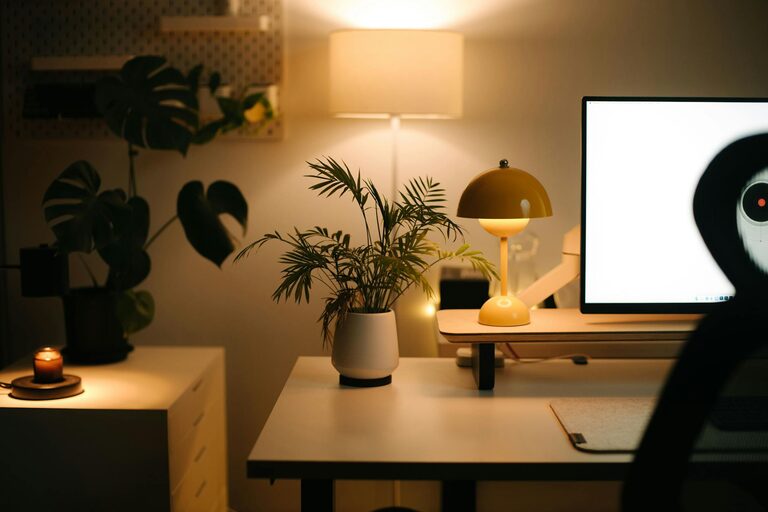
Creating a cozy and inviting home workspace is essential for productivity and wellbeing, especially as many people spend more time working from home. A well-designed workspace helps reduce distractions, increases focus, and makes workdays more enjoyable. Whether you have a dedicated room or just a small corner, you can transform your space into a functional and comfortable area. Here are some tips to help you create a workspace that feels both cozy and inspiring.
Choose the Right Location
Assess Your Space
Start by identifying the best spot in your home for a workspace. Ideally, pick a location with natural light, low noise, and minimal traffic. If possible, use a separate room to maintain a boundary between work and personal life. If space is limited, a corner in a living room or bedroom can still work well with the right setup.
Consider Your Work Needs
Think about what you need for your daily tasks. Do you require a large desk, extra storage, or multiple screens? Make sure the chosen area can accommodate your tools comfortably. Accessibility to power outlets is also important for electronics.
Focus on Comfort
Invest in a Quality Chair
A comfortable chair is key for long hours of sitting. Look for one with good lumbar support, adjustable height, and breathable material. This helps prevent back pain and maintains good posture throughout the day.
Choose a Suitable Desk
Select a desk that fits your space and work style. For smaller areas, consider a compact or wall-mounted desk. If you prefer flexibility, a sit-stand desk allows you to alternate between sitting and standing, which can boost energy and comfort.
Add Soft Textures
Create a warm atmosphere with soft textiles like a plush rug, cozy throw blanket, or cushioned seat pads. These elements add comfort and help make the workspace feel less clinical.
Optimize Lighting
Maximize Natural Light
Natural light reduces eye strain and elevates mood. Position your desk near a window to enjoy daylight. Use sheer curtains to diffuse harsh sunlight without blocking the brightness.
Use Layered Lighting
Supplement with artificial lighting to brighten your workspace during cloudy days or evening hours. Combine overhead lights with task lamps that provide focused illumination on your work area. Adjustable lamps allow you to direct light as needed.
Personalize Your Space
Decorate Thoughtfully
Add personality to your workspace without cluttering. Simple decorations like artwork, plants, or photos can create a pleasant environment. Choose items that inspire and motivate you.
Incorporate Greenery
Houseplants improve air quality and add a touch of nature indoors. Low-maintenance plants like succulents or pothos are excellent options for busy schedules.
Stay Organized
Use Storage Solutions
Keep your workspace tidy by using organizers, shelves, or storage bins. Decluttering helps maintain focus and creates an inviting atmosphere. Label containers to easily find supplies.
Manage Cables
Tidy up cords and cables using clips, sleeves, or cable trays. This not only improves appearance but also prevents accidents caused by tangled wires.
Set Boundaries for Work and Relaxation
Define Your Workspace
Create visual separation between your workspace and living areas. Use room dividers, rugs, or furniture placement to distinguish work zones. This helps mentally switch between work mode and relaxation.
Establish a Routine
Set regular work hours and breaks to maintain balance. A defined schedule helps prevent burnout and ensures you leave your workspace at the end of the day.
Add Comfort Enhancements
Temperature Control
Make sure your workspace has good ventilation and a comfortable temperature. Use fans, heaters, or an air purifier to maintain a pleasant environment year-round.
Incorporate Aromatherapy
Light scented candles or use essential oil diffusers with calming fragrances like lavender or eucalyptus to create a soothing atmosphere.
Technology Setup
Choose the Right Equipment
Equip your workspace with reliable technology that supports your tasks. This includes a fast internet connection, ergonomic keyboard and mouse, and quality headphones to reduce distractions.
Keep Screens at Eye Level
Position monitors so the top is at eye height to reduce neck strain. Consider using monitor stands or adjustable arms for better ergonomics.
—
A cozy and inviting home workspace combines comfort, functionality, and a personal touch. By following these tips, you can create a space that inspires productivity and makes working from home a more pleasant experience. Remember, a well-designed workspace is an investment in your health and happiness. Happy decorating!